
Smart Family & Kids Locator
LSA LTDParenting
3.619.00 Reviews
- Version
- 1.13.6
- Installs
- 10.00K
- Age Rating
- Everyone
Screenshots
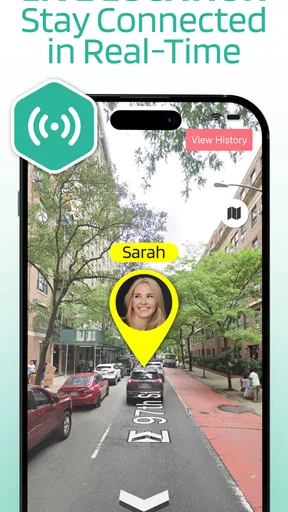
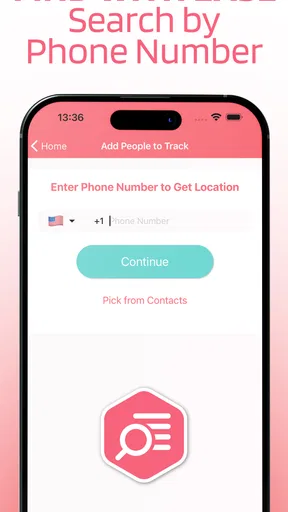
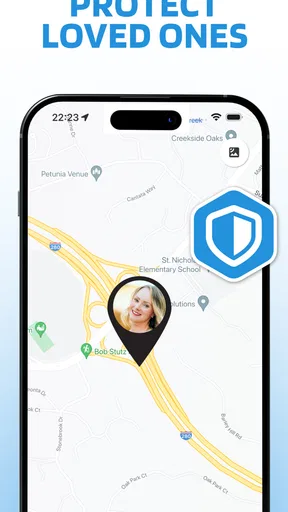
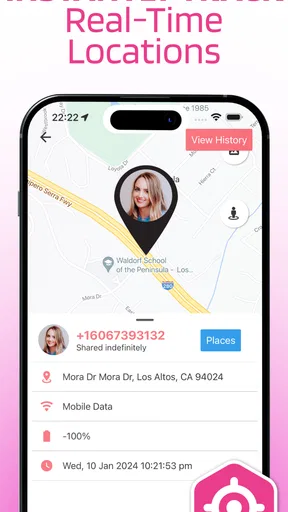
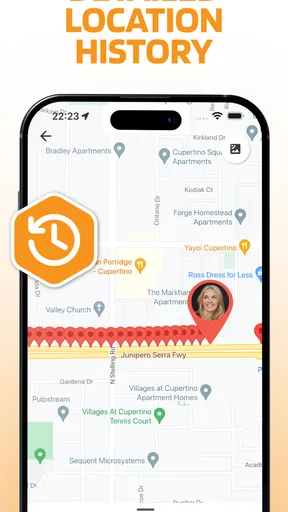
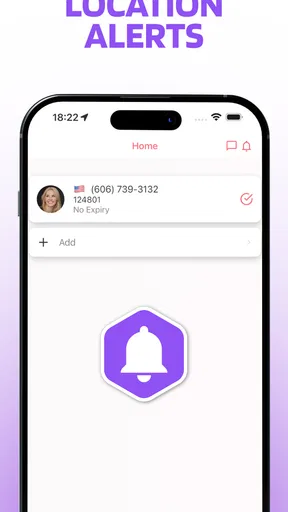
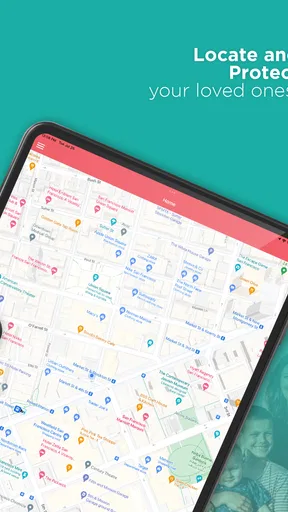
Our Review of Smart Family & Kids Locator
 Analysis by Appyee
Keeping track of family members by phone can sound simple, but location apps often become frustrating at the exact moment you need them. My experience with Smart Family & Kids Locator is that its value depends less on tapping a map and more on getting the setup, phone settings, and family workflow right from the beginning. It is a free parenting app from LSA LTD, designed around phone-number location tracking and location sharing with family.
I would look at it as a practical family locator rather than a complete digital parenting suite. It may suit parents who want a focused way to coordinate with relatives, especially when everyone agrees to share their location. It is less suitable for someone expecting invisible tracking, highly detailed safety controls, or a service that works perfectly without cooperation from the people being located.
Where the experience usually gets stuck
The first point of friction is the phrase “by phone number.” That wording can create an expectation that entering a number is enough to reveal a live position. In real family use, location sharing still depends on the other phone participating correctly. A number identifies the person you want to connect with, but it does not remove the need for consent, a working device, and a usable location signal.
That distinction matters when a parent is trying to check whether a child has arrived at school. If the child’s phone is switched off, has no useful connection, or is not sharing location as expected, repeatedly refreshing the app will not solve the underlying problem. I found it more helpful to treat the app as a shared communication arrangement: both sides need to understand what is being shared and when it should be available.
Another common stumbling block is assuming that an old location is current. A map marker can be reassuring, but the important question is when that position was last updated. Before reacting to a location, I would check the freshness of the information and contact the person directly if the result seems inconsistent with their routine. A locator should support a family check-in, not replace judgment or a phone call.
The app’s average rating is 3.6 from around 120 ratings, which suggests a mixed experience rather than universal smoothness. That feels believable for this type of tool: the basic idea is easy to understand, while the result can vary with phone configuration, connectivity, and how carefully the family completes the setup.
What I would clarify with family members first
Before installing it on several phones, I would agree on a simple rule: who can see whom, and for what purpose. This avoids the awkward situation where one person believes location sharing is temporary while another assumes it is always active. For children, the conversation should be age-appropriate and focused on safety rather than surveillance.
I would also decide how the app fits into everyday routines. For example, a family might use it during the school commute and weekend outings, while relying on ordinary calls or messages at other times. This is a better arrangement than expecting the locator to answer every question about a family member’s whereabouts.
The most useful habit is to treat location sharing as a planned family routine, not an emergency guarantee. Once everyone understands that, the app becomes easier to evaluate honestly.
Setup checks that prevent avoidable problems
When I set up a family location app, I prefer to do it while all relevant phones are nearby. That makes it easier to confirm which person is connected to which number and to notice immediately if one phone has not completed the process. Doing everything remotely can leave a silent gap that only appears later when someone tries to check a location.
Smart Family & Kids Locator supports Android devices from version 7.0 onward. That makes it accessible to many older phones, but older hardware can still behave differently from newer devices. Battery-saving behavior, background restrictions, and outdated system components may affect how reliably a phone updates its position. I would not judge the app from one test on a phone that is already struggling with other apps.
After installation, I would work through the app’s own prompts carefully rather than accepting every screen automatically. The important checks are practical: the correct family member is selected, the intended sharing arrangement is active, and the map shows a sensible position when the phone is in a known place. If the app asks for access needed for location sharing, denying it and then testing the app will produce a misleading result.
A useful setup test is to place one phone in a familiar location, wait a little, and compare what the other phone shows. I would repeat the test after moving the phone a short distance, rather than relying on the first successful display. This does not prove perfect ongoing tracking, but it reveals whether the family understands the update process and whether the phones are communicating as expected.
It is also worth checking the phone’s general location setting, not just the app screen. If the system-level location service is disabled, the application cannot obtain a useful position. Similarly, if a phone has very little battery or is in a restrictive power mode, its behavior may change. These are not glamorous checks, but they are often more valuable than reinstalling immediately.
Use the free version with realistic expectations
The app is free to install, but it includes in-app purchases ranging from $7.99 to $49.99 per item. I would avoid buying anything during the first few minutes of testing. First establish that the basic family connection works, then decide whether any optional purchase addresses a need you genuinely have. A paid option cannot fix a missing permission, an offline phone, or a family member who has not completed sharing.
This is especially important for parents who are comparing the app with a built-in phone-sharing service. The usual alternative may already be familiar to the family and may require less explanation. Smart Family & Kids Locator becomes more appealing when its particular phone-number-centered approach feels easier for your household, but convenience should be demonstrated on your actual devices before spending money.
Because the content rating is Everyone, the app is presented as suitable for a broad audience. That does not remove the need for adult guidance. A child may understand how to view a map without understanding the privacy implications of continuous sharing, so the family agreement remains more important than the age label.
Recovering the workflow when a location looks wrong
When a location does not update, I would follow a fixed recovery order instead of trying random changes. First, check whether the other phone is powered on and reachable by an ordinary call or message. Next, ask the person to open the app and confirm that sharing is still active. Then check the phone’s location setting and connection. This sequence separates a family communication issue from an app issue.
If the map shows a position that seems outdated, note the time rather than assuming the marker is live. Ask the family member where they are and compare that answer with what the app displays. If the phone updates after the app is opened, the problem may be related to background activity rather than the family connection itself. If nothing changes, restarting the phone and repeating the test is a sensible general step.
I would be cautious about deleting and reinstalling the app as a first response. Reinstallation can remove a working connection from the troubleshooting path and may require the family to repeat setup. It is better reserved for a persistent problem after confirming the phone, system settings, and sharing arrangement are all correct.
Another practical recovery method is to simplify the test. Instead of checking several relatives at once, use two phones in the same household and verify one connection. Once that works, add the remaining family members one at a time. This makes it much easier to identify whether the issue belongs to one phone or to the overall arrangement.
How I would use it during an ordinary day
Imagine a parent waiting for a child to return from an after-school activity. Rather than opening the map repeatedly, I would agree on a simple routine: the child shares location during the journey, and the parent checks it near the expected arrival time. If the position has not changed, the parent contacts the child directly. That workflow uses the app for context while keeping a human check-in as the reliable fallback.
For a family outing, the app can be more useful as a regrouping aid. If relatives become separated in a busy public place, seeing a shared position may reduce unnecessary calls. The trade-off is that everyone must keep their phones usable and understand that map information can lag or be imprecise. I would never use a displayed position as permission to enter a risky area or as a substitute for supervising a young child.
A less obvious tip is to test the arrangement before travel, not after the family has split up. Open the app at home, confirm each person’s identity, and make sure everyone knows what to do if the map stops updating. This turns a stressful discovery into a routine check and exposes setup problems while help is close at hand.
When the app is not the cause
Location behavior is affected by the phone environment. Weak connectivity, an indoor position, a low battery, or aggressive power management can all make a location appear delayed or unavailable. The same symptoms may occur with other locator services, so switching apps is not automatically the answer.
Phone-number tracking can also be misunderstood when a number changes, a person uses a different device, or the family member has more than one phone. I would review the connection whenever someone replaces a handset or changes their mobile number. A setup that worked last month may no longer represent the phone the person actually carries.
There is also a human limitation: a locator cannot resolve uncertainty about a person who does not respond. If a family member is missing, in danger, or overdue in a way that raises genuine concern, contact them and use appropriate local emergency support rather than relying on repeated map checks. This app is a coordination tool, not an emergency response service.
Compared with built-in location sharing on Android or iOS, the main question is familiarity. A built-in option may be the better choice if every family member already uses the same platform and wants fewer separate applications. Smart Family & Kids Locator may be worth trying if its family-focused presentation and phone-number approach fit your household better. For parents seeking screen-time limits, content filtering, detailed activity reports, or geofenced arrival alerts, I would look at a dedicated parental-control product instead of expecting this app to cover those jobs.
Privacy is another reason to choose carefully. Location sharing should be limited to people the user trusts, and the family should understand when it is active. I would avoid adding acquaintances simply because the app makes connections convenient. A smaller, clearly agreed group is safer and easier to manage than a large list with unclear expectations.
Who should try it and who should skip it
I think it is a reasonable trial for parents, couples, and relatives who want a straightforward shared-location tool and are willing to complete setup together. It can also help families with mixed levels of technical confidence because the central purpose is easy to explain: connect family members and check their shared positions.
I would skip it if you need guaranteed real-time accuracy, covert tracking, advanced parental controls, or a replacement for emergency services. I would also hesitate if your family dislikes location sharing altogether. No interface can compensate for a lack of agreement, and forcing the issue can damage trust more than it improves safety.
The current version is 1.13.6, and the app has passed the early adoption stage with over 10 thousand installs. Those details make it a recognizable option in the parenting category, but they do not guarantee that it will behave identically on every phone. I would judge it through a short, real household test rather than through the install count alone.
My practical verdict after using it
Smart Family & Kids Locator is best understood as a focused family location-sharing app with a setup-sensitive workflow. I like the clear purpose and the possibility of using phone numbers to organize family connections, but I would not present it as a magic tracker. Its success depends on active participation, suitable phone settings, and sensible expectations about how fresh a map position really is.
My recommendation is to install it only after agreeing on a family routine, test it with two nearby phones, and delay any purchase until the free experience works for your household. Keep ordinary calls available, check the timestamp or freshness of a position before acting, and repeat the setup after a phone or number changes.
For a family that wants a simple locator and is comfortable sharing responsibly, it is worth trying because the entry cost is low. For anyone needing comprehensive parental supervision or emergency-grade reliability, a different category of tool will be a better match. In my view, the app earns its place when it supports calm, planned check-ins; it disappoints when users expect a phone number alone to solve every location problem.
Verdict
Strengths of Smart Family & Kids Locator
- Accurate location updates help parents check where children are in real time.
- Geofencing alerts notify you when a child enters or leaves selected places.
- SOS features can provide quick access to help during an emergency.
- Family members can share locations without needing separate tracking apps.
- Location history makes it easier to review recent trips and routines.
Limitations of Smart Family & Kids Locator
- Continuous GPS use may noticeably reduce the phone’s battery life.
- Some features may require a paid subscription or premium plan.
- Location accuracy can drop indoors or in areas with weak signal.
- Children may feel uncomfortable with constant location monitoring.
- The app requires reliable mobile data or Wi-Fi to update locations.
Similar Picks in This Category
View All
Family Space
Motorola Mobility LLC.3.9

شرطة الأطفال - مكالمة وهمية
Oub Apps4.1

Findmykids: Parental Control
LETEM LTD4.6

Pregnancy + | Tracker App
Philips Electronics UK Limited4.8

Policía de niños - para padres
Kids police4.7

Pregnancy App
Amila4.9
Frequently Asked Questions
What is Smart Family & Kids Locator used for?
Smart Family & Kids Locator is designed to help parents and family members stay connected by sharing real-time or recent location information. After setting up a family group, you can view participating members on a map, check location updates, and use communication or safety features where available. Its usefulness depends on compatible devices, permissions, mobile data, and each member agreeing to share their location.
How do I set up Smart Family & Kids Locator for my family?
Install the app on the relevant Android or iOS devices, create an account or sign in, and follow the instructions to create or join a family group. Each person normally needs to accept an invitation and enable location access. For reliable tracking, allow the required permissions, activate notifications, and review battery-saving settings that might restrict background location updates. Setup details can vary by device.
Does Smart Family & Kids Locator track a child’s location continuously?
The app may provide ongoing or periodic location updates, but it cannot guarantee uninterrupted tracking. Accuracy and frequency depend on GPS availability, Wi-Fi, mobile coverage, battery level, operating-system restrictions, and the permissions granted by the user. Indoor locations, underground areas, and weak signals can reduce accuracy. Parents should treat the app as a helpful safety tool, not a replacement for communication or supervision.
Is Smart Family & Kids Locator free to use?
Smart Family & Kids Locator may offer basic features at no cost while reserving some functions for a subscription or in-app purchase. Before downloading or starting a trial, check the current store listing for pricing, plan limits, renewal terms, and supported features in your country. If a trial is offered, remember that it may automatically renew unless canceled through the appropriate Google Play or App Store settings.
Is my family’s location information private and secure?
Location data is sensitive, so privacy depends on the app’s permissions, account security, sharing controls, and published privacy policy. Only invite people you trust, use a strong unique password, protect your phone with a lock, and regularly review which family members can see your location. Before using the service, read its current privacy documentation to understand data collection, storage, sharing, and deletion practices.
